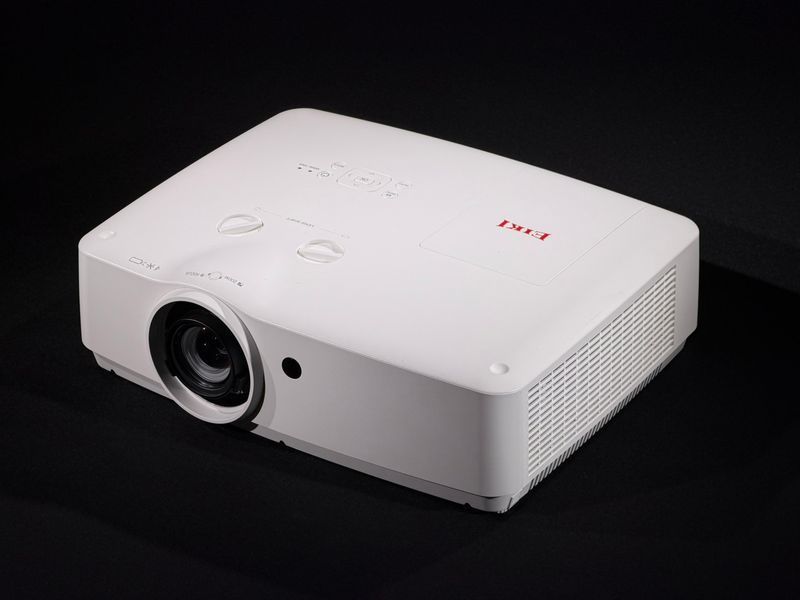
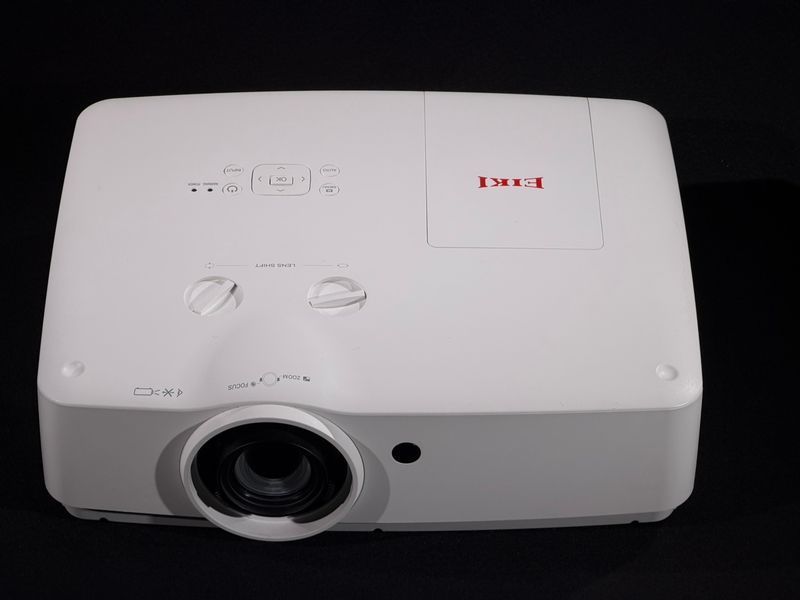
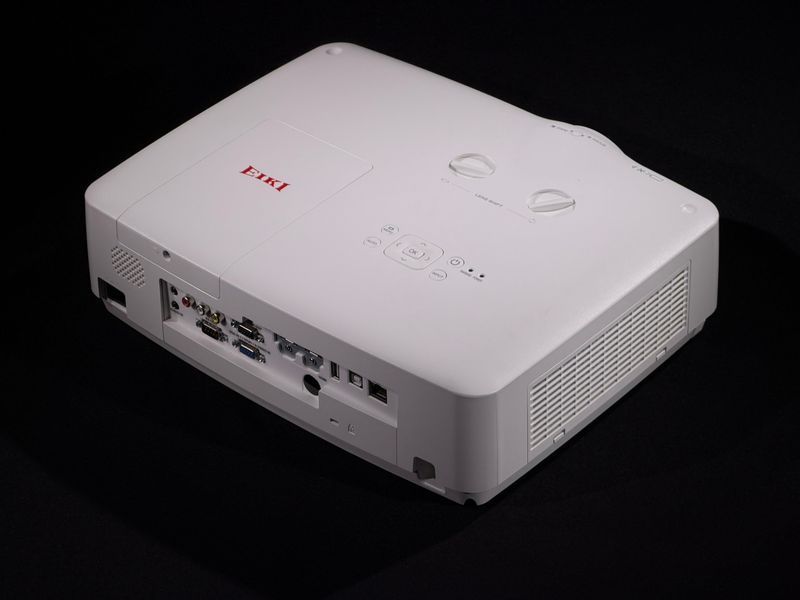
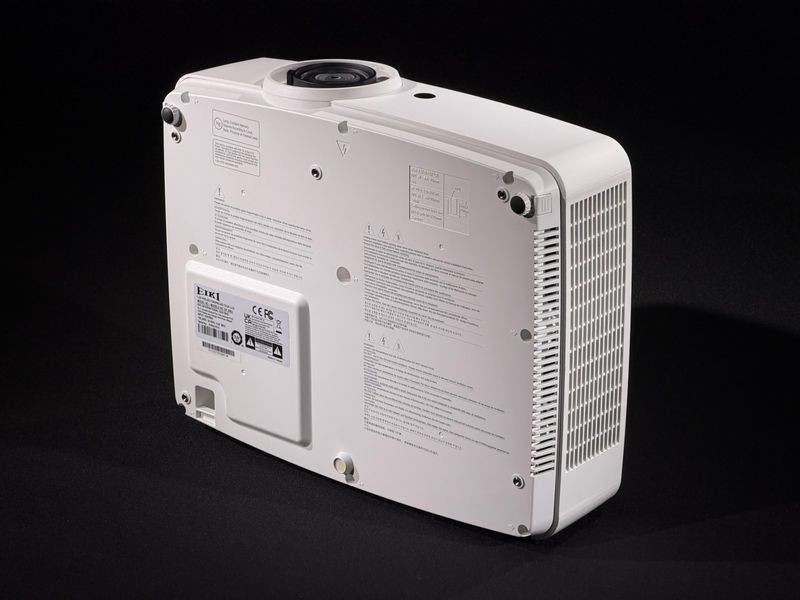
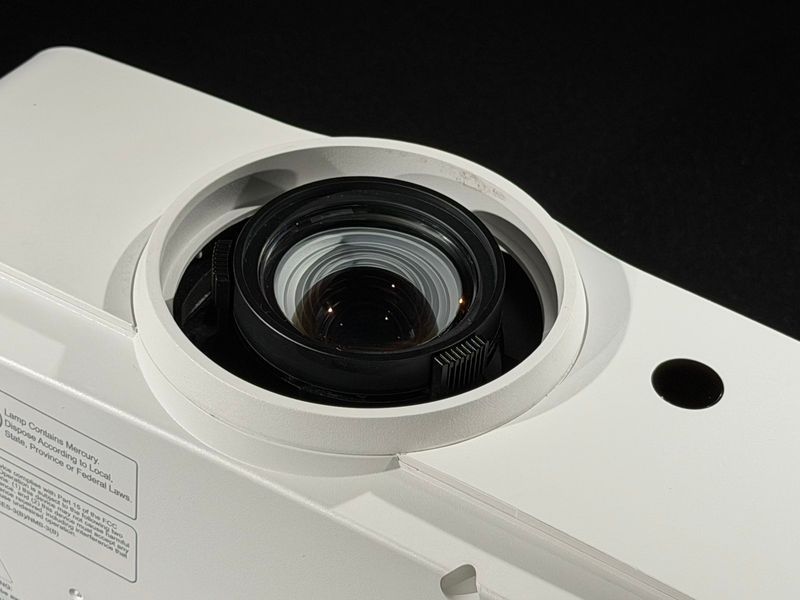
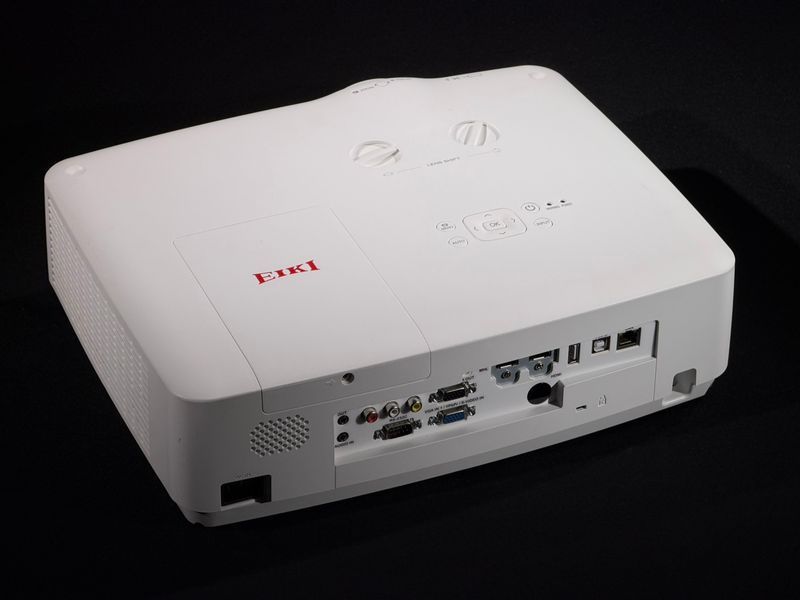
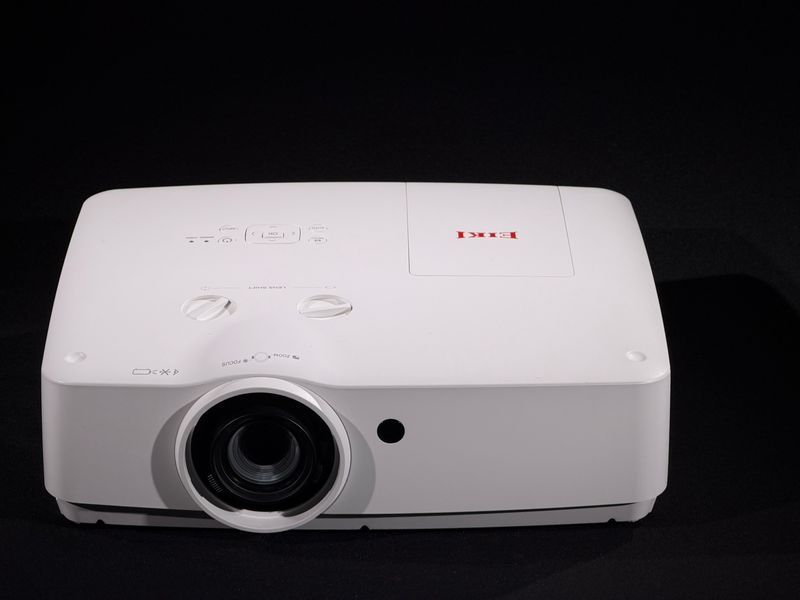
with USB, with LAN, with zoom, with built-in speakers
Dimensions & Form Factor
Dimensionsweight
How portable or stationary the projector is
Portable up to 2 kgfits in a backpack, take it anywhereSmall 2–4 kgeasy to move between roomsMedium 4–7 kgstationary at home, moved occasionallyLarge 7–14 kgpermanent home cinemaInstallation 14 kg+ceiling mount, large halls
Slow cycleprojectors update more slowly than phones, PCs and TVs — it's a niche category, generations change less oftenAge ≠ wearoptics and the panel don't age with time the way electronics do
So the year isn't critical here: a model a few years old stays relevant and gives the same image it did at launch.
2019
Brand Country
Brand countryengineering school
Who develops the projector's technology, and where
Japan›
Home of key imaging tech — 3LCD and liquid-crystal micro-panels. World-class precision glass optics. For decades, the benchmark for reliable optics and mechanics.
USA›
Birthplace of DLP — micro-mirror chips (millions of mirrors steer the light). A school of systems for digital cinema and large installations.
Belgium›
A narrow but powerful school of professional systems: digital cinema, simulators, the brightest projectors for large venues.
Taiwan›
A strong electronics industry. Efficient, consistent production of consumer- and business-class DLP projectors at an affordable price.
Brand country is the engineering school. A given unit may be assembled elsewhere — see the "Made in" field.
Japan
Made in
Made inassembly country
Where this unit was physically assembled
Not the branda Japanese brand is often assembled at its own plants in Japan, the Philippines, Malaysia or Taiwan — this is standard practiceSame qualitythe plant doesn't affect the image: optics, panel and QC follow the brand's standard
The assembly country of a specific unit is printed on its rating label.
Malaysia
Brightness (ANSI Lumens)
BrightnessANSI lumens
How much light the projector outputs
1000–2000dark room only
3000–4000daytime with curtains drawn
5000+visible even in daylight
6000
Color Brightness (CLO), lm
Color brightnessCLO, lumens
How bright the colors themselves are, not just white
Color = ANSIequal figures signal 3LCD: colors don't fade, red stays red even in daylightGapcolor below ANSI — white is bright, colors are dimmer (seen on single-chip DLP)
Look at color brightness, not just the "lumens" figure on the box — it shows the real image more honestly.
6000
Native Resolution
Resolutionpixels
How many dots make up the image
XGA 1024×768for presentationsWXGA 1280×800basic home cinemaFull HD 1920×1080games and Blu-rayWUXGA 1920×1200for computer work4K 3840×2160barely visible <150″
it's about dark scenes in films. High contrast — the night sky is black and deep. Low — it looks grey
The big number is marketing
"1,000,000:1" on the box sounds great, but it's just a trick: in dark frames the projector dims its own lamp. It doesn't give a better picture
What matters is a dark room
dim the room with curtains and black will be black on any projector. Light in the room ruins the picture — no high contrast will save it
In short: don't chase the number on the box. In a dark room the difference between "20,000:1" and "a million:1" is barely visible to the eye.
10 000:1
Supported Input Resolution
Input signalwhat video the projector accepts
What video quality you can send to the projector
Acceptsunderstands modern video (Full HD, 4K). Plug in a laptop, PlayStation or TV stick — and the image just appearsShowsfits the picture to its own sharpness. On-screen sharpness is whatever the projector's panel delivers
You can send 4K, but the picture won't get sharper than the panel — sharpness is set by "Resolution".
1920x1200
Aspect Ratio
Aspect ratioframe shape
The shape of the projector's image
16:9for video and gaming: PlayStation, Xbox, TV sticks, films and series16:10movies and games too, plus professional work: the MacBook and laptop shape, handy for documents and presentations4:3nearly square — the most vertical room: documents and spreadsheets, a chessboard, artists' compositions, simulators
This is the projector's native shape. Video in another format will show with black bars at the edges.
16:10
Keystone Correction
Keystone correctionkeystone
Squares up the image when the projector sits at an angle
Verticalfixes an up/down tilt when the projector sits below or above the screen. Comes manual and auto (senses the angle itself)Horizontalfixes a sideways offset when the projector sits off to the side, not centered4 cornerseach corner moves on its own — the most precise fit to the screen at an awkward angle
This is a digital fix — it eats into sharpness a little. If the projector is merely offset (sideways or in height) rather than tilted, use Lens Shift instead (an optical lens shift, no loss of sharpness) where available. Keep keystone for a genuine tilt.
Вертикальна, Corner, Horizontal
Projection Type
Standard throw
Focus Type
Throw ratiothrow ratio
Distance to screen ÷ image width. Lower number — closer to the wall
Short throwup to 0.8 — a big image from a short distance, handy in a tight roomVersatile0.8–1.3 — the sweet spot, fits most roomsStandard1.3–2.0 — placed in the middle of the room, the most common classLong throw2.0 and up — for large halls, placed far away at the back
Work out the exact distance for your screen with the Projection Calculator on the site.
Standard Throw (1.3 - 2)
Zoom Type
Optical zoom
Display Technology
Panel typetechnology
How the projector draws the image
DLPdeep blacks, sometimes a "rainbow" flash3LCDbright natural colors, no "rainbow"LCOS SXRD · D-ILAdeep blacks and natural colors
bright and inexpensive, easy to replace yourself. Life mostly ~5,000 h, up to 10,000–15,000 on some models. More natural color. Makers: Philips, Osram, Ushio
Laser (LASER)
a solid-state module, nothing to replace. 20,000 h is the warranty figure; real life reaches up to 40,000. Turns on at full power right away
LED (LED)
brightness is several times lower than lamp or laser. That's why LED is often used in portable, battery models — enough light only for a dark room
Any source is fine for a dark room. For a bright one, brightness (ANSI lumens) matters more than the type itself.
Which light-source architecture the projector uses
UHP— Philips ultra-high-pressure lamp, the most common
UHE— Epson lamp, a close analog of UHP
P-VIP— Philips lamp (Video Projection)
NSH— Ushio lamp of the same class
OSRAM— lamp made by Osram (a brand)
HCX— high-contrast xenon lamp
LASER— solid-state laser
LED— dimmer but energy-efficient; for small screens or dark rooms
NSH | High Pressure Mercury
Lamp Part Number
Lamp codeorder number
The exact lamp name for this specific projector
Find itwhen the lamp eventually dims, type this number into a search and buy the exact same oneSwap iton most projectors the lamp swaps out easily — open the cover, pull the old one, slot the new one in. No technician needed
Laser and LED projectors have no lamp code — there's nothing to replace.
Оригінальний ламповий модуль EK-308U (300 Вт NSH)
Color Depth
Color depthbits
How smooth the color transitions are
6-bit 262Kbanding on gradients (sky in "steps")8-bit 16.7Mnatural, smooth transitions10-bit 1.07Bsmoothest gradients, HDR cinema
8-bit (16.7 million colors)
Lamp Life (Normal)
Lamp life (Normal)hours
How long the lamp runs at full brightness
Guide5000 h ≈ 5 years (≈2.7 h/day)Replacethe lamp is easy to swap yourself — the projector lives on
3000
Lamp Life (Eco)
Lamp life (Eco)hours
Lower brightness — longer lamp life
Guide10,000 h ≈ 10 years (≈2.7 h/day)Wearat lower power the lamp degrades more slowlyQuietercooling fans run quieter
4000
Throw Distance (m)
0.9
Distance Range (m)
0.9 - 11.0
Screen Size (m)
1.0 - 7.6
Connectivity
Interfacesinputs / outputs
What to connect to the projector and how
Digital›
HDMI — the main port: laptop, PS/Xbox, TV stick, video+audio over one cable. HDMI ×2 — two sources; MHL powers a connected stick. DisplayPort — same, from the PC side.
Analog›
VGA / D-Sub — older PCs, video only. DVI — digital on older PCs. Composite (RCA) and S-Video — DVD, VHS, retro consoles. For compatibility with legacy gear.
Audio›
Audio in (3.5 mm / RCA) — sound to the projector's speakers. Audio out — to external speakers or a receiver (the built-in speaker is always weak). Mic — presentations, karaoke.
Control & network›
USB — powers a stick / reads a flash drive (role per spec sheet). RS-232, LAN — control and automation. 12V trigger — auto-drops the screen. HDBaseT, SDI, BNC — installations. Wi-Fi/BT — wireless casting.
For home, HDMI (ideally ×2) + an audio out to speakers is enough.
laptop, PlayStation, TV stick and PC plugged in together — switch with the remote, no re-plugging
Picture-in-picture
some models show two sources on screen at once — a film and a camera, say. Not on every model
Port flexibility
ports differ: one is newer, with 4K and protected video (Netflix, Blu-ray), another has ARC for sound to a soundbar
Spare input
if one port wears out over time, a working one remains — useful on gear that's already seen use
2
USB Ports
USB portscount
What USB ports are for on a projector
Power
the port runs a TV stick, Chromecast or dongle — no separate outlet, powered straight from the projector
Straight from a flash drive
some models show photos, video or PDFs straight off a flash drive — no computer. Not on every model
Service and updates
USB connects the projector to a computer for setup or firmware updates
USB on a projector varies: one port is power only, another reads a flash drive. What a port can do depends on the model.
2
Wireless Connectivity
Wireless featuresBluetooth · Wi-Fi
What you can connect without a cable
Bluetooth
it's about sound: connect a wireless speaker or headphones. Bluetooth doesn't carry the picture — audio only
Built-in Wi-Fi
mirrors a phone or laptop screen without a cable, and on Smart models — streams directly (YouTube, Netflix) with no box
Wi-Fi via a stick
no built-in Wi-Fi? A stick in the HDMI port (Chromecast, Fire Stick) adds wireless to any projector
The cheapest fix is a receiver dongle in HDMI: plug it in, add USB power, and a phone casts to any projector without a cable.
None
Key Features
MHLStream | Mobile screen mirroring, LensShift | Optical lens offset, SoundMax | Integrated audio drivers, EcoSave | Energy efficiency control
Speaker Power, W
Speaker outputW total
How loud the projector's built-in speaker is
Up to 5 Wspeech and background video are audible in a quiet room — fine for watching solo10–16 Wloud enough for a whole room, comfortable for company and movie nightsStereotwo speakers give wider, fuller sound than one — better separation of voice and music
Even stereo in a projector means compact speakers. For true cinematic immersion with deep bass, it's still worth adding external audio: a speaker, soundbar or receiver.
10
Additional Features
Extra featurescapabilities
What the projector can do, grouped by purpose
Optics & lens›
Motorized zoom and focus (from the remote), interchangeable lenses for different rooms, glass optics, a sealed dust-protected path, and a dynamic iris for deeper blacks.
Geometry & mounting›
Aligning the image to the mounting angle: corner and shape correction, portrait and rear projection. For installs — edge blending of several projectors and mapping onto uneven surfaces.
Color›
Accurate color and calibration to a reference — so on-screen colors match the intent, not the projector's guesswork. Matters for cinema and graphics work.
Image & entertainment›
Picture-in-picture and split screen, game mode (lower lag), a built-in media player, audio output, and wireless casting from a phone.
Control & integration›
Network control, HDBaseT (signal up to 100 m), screen daisy-chaining, smart-room integration (Crestron), password lock. DICOM Sim. — a mode for viewing medical images (simulation, not diagnostics).
Operation›
Fast cooling (switch off and carry it right away), quick lamp swap without disassembly, dust protection for a longer optics life.
The feature set depends on the model — check the specs of the specific unit.
the glasses pick up the signal straight from the projector's image — no separate emitter needed. Includes 60 / 120 / 144 Hz
RF / Bluetooth
synced by radio through a separate emitter — steadier. Includes Sony BT, Epson RF, Optoma RF, Nvidia 3D Vision
The key thing: the glasses must match the projector's technology — DLP Link won't work with RF and vice versa. Specific models (ELPGS03, TDG-BT500, DGD5, etc.) are just branded glasses for one of these two technologies.
3D not supported
Dust Resistance
Dust protectionprotecting the optics from dust
How well the projector is sealed against dust inside
IP5X dust-protected
a little dust gets in, but not enough to affect operation
IP6X dust-tight
no dust gets in at all — the top level on the international scale
Filter-free build
the optics are sealed — no filter to clean or replace at all. Typical of laser models
Removable filter
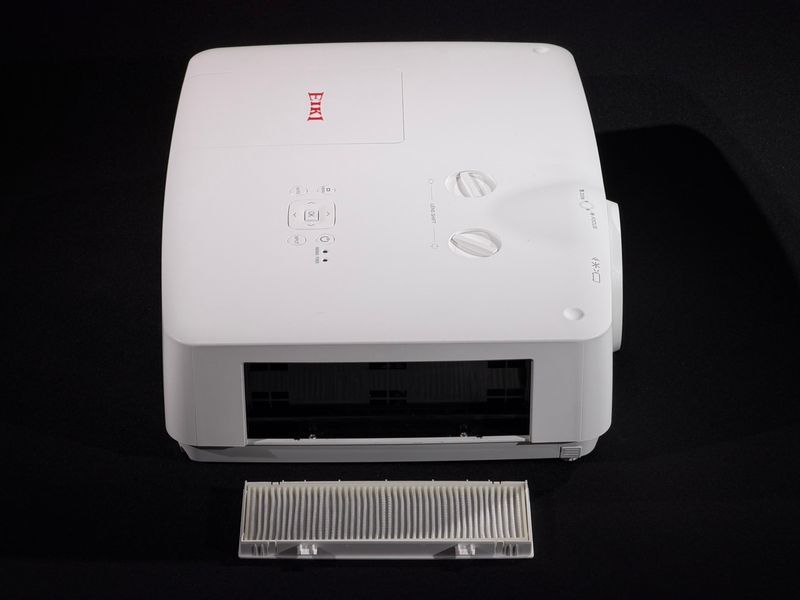
pull it out, shake it out or rinse under the tap, dry and put it back. Replacement inserts are easy to find on AliExpress
Removable electrostatic filter
Filter Part Number
Filter codeorder number
The exact dust filter name for this projector
Find itif the filter clogs for good, type this number into a search and buy a new one — often on AliExpress, Temu and local shopsClean itusually a vacuum or a rinse under water, then dry and put it back. A new one is only needed if it's clogged beyond cleaning
Cleaning the filter yourself takes a few minutes — far cheaper than sending the projector out for a service clean.
Removable electrostatic filter (side-accessed)
Mounting Type
Ceiling Mount, Desktop
Mount Part Number
Mount codeorder number
The part number of a mount compatible with this projector
Find ituse this number to buy a ready mount for your projector — on AliExpress, Temu and local shopsInstall itscrews into the threaded holes on the projector's underside; the arms adjust for height and tilt
A mount is a separate accessory, usually universal: any one rated for the projector's weight and hole pattern will fit. The code is simply a proven compatible option.
Universal ceiling mount
Package Contents
In the boxwhat's included
What you get together with the projector
Projector
tested, in working order — the main thing you're here for
Remote + batteries
a copy of the original, but works fine; batteries included
Power cable + adapter
the plug is foreign (British or American, depending on the country), so a plug adapter for a European socket is included
Box and papers
the original box, bag and papers are usually absent. If they're present, it's noted in the description
Projector, remote control, power cable, VGA cable
Warranty
Warranty90 days
How we stand behind the projector after purchase
90-day warranty
if anything goes wrong with how the projector runs in that time, we'll sort it out — repair or replace
Online payment — same terms
card, installments or acquiring, payment to the sole proprietor — the 90-day warranty applies the same for any method
Swap within 14 days
if the projector doesn't suit you, you can swap it for another within 14 days — condition and appearance kept intact
Pickup with no deposit
pickup in Lviv or Nova Poshta delivery with no prepayment — you inspect it before paying
Every projector is tested before sale. We sell professional gear, not throwaway kit — so we stand behind what we sell.
3 months
Service & Spare Parts
Service & partsrepairability
Why a Japanese projector stays in service for years
Standard modules
built from known modules — the panel, optical block, boards, fans. Not one sealed chip, but parts you can source and replace
Replaceable light source
a lamp swaps out by code yourself, a laser lasts tens of thousands of hours. Either way, not a "disposable" soldered LED
Repaired anywhere
any technician will take it on, even in a small town — wherever computers and consumer electronics get fixed. The case opens up, donors are plentiful
A cheap Chinese projector can't be fixed like this: the LED and the "brain" are soldered to the board, with no parts or schematics — official Xiaomi, XGIMI and Hisense service centers turn it away. And even if the unit still runs, within a couple of years its Android goes stale: YouTube, MEGOGO or Netflix drop support for the old firmware. A Japanese unit gets repaired where a Chinese one is refused everywhere.
Lamp — an original EK-308U module (300 W NSH), life up to 3000 h (Normal) / 4000 h (Eco), top-accessed — a minutes-long swap. An original runs about $130–140 and is available. The imager is three 3LCD panels, an industry standard; the color splitter and cooling fans are ordinary off-the-shelf parts. The electrostatic filter is removable from the side and cleaned in a minute. Serviceable housing, plenty of donors. In short, a machine built to be serviced for years. You cannot fix a no-name disposable Chinese projector this way: the LED is soldered into the board, no schematics or spare parts exist, and there is simply no service shop in the country that would take it on.